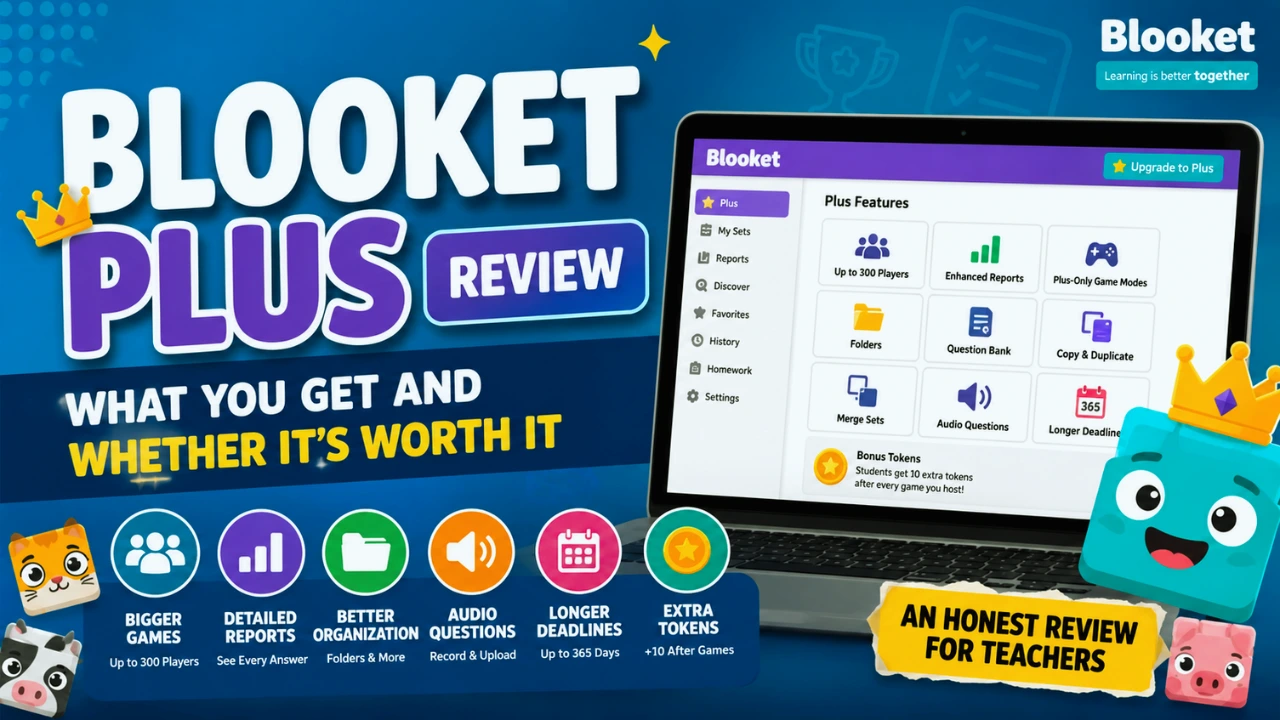
Blooket Plus Review: What You Get and Whether It’s Worth It
Blooket has an unusual problem for a freemium education platform its free version is already useful enough that many teachers don’t need to upgrade.
Starter lets teachers create and discover question sets, host classroom games, and use many of the features that make Blooket appealing in the first place. For a teacher who opens Blooket a few times each month, that may be plenty.
Blooket Plus is aimed more at regular hosts. It expands live games to up to 300 players, adds detailed reporting, organizational tools, audio questions, longer homework deadlines, and several other premium features.
So, is Blooket Plus worth it?
For teachers who use Blooket regularly and actually use student-performance data to guide instruction, it can be. For occasional classroom games, the free Starter account remains surprisingly capable (check out our complete Blooket guide).
Quick Answer
Blooket Plus is most worthwhile for teachers who use Blooket frequently and need detailed reports, larger games, better question-set management, or audio questions. Starter already supports up to 60 players and covers many ordinary classroom uses, so occasional users generally don’t need to pay to enjoy Blooket.
What Is Blooket Plus?
Blooket Plus is the paid version of Blooket.
It includes everything available in the free Starter account and also unlocks additional hosting, reporting, and content management features.
The important distinction is that Plus doesn’t replace the basic Blooket experience. It primarily removes limitations that become apparent when a teacher uses the platform extensively.
That makes it less like buying an entirely different product and more like upgrading your classroom workflow.
What Do You Get With Blooket Plus?
The premium plan includes several meaningful upgrades.
| Feature | Starter | Blooket Plus |
|---|---|---|
| Live game capacity | Up to 60 players | Up to 300 players |
| Enhanced reports | No | Yes |
| Plus game modes | No | Yes |
| Folders | No | Yes |
| Question Bank | No | Yes |
| Copy and duplicate sets | Limited | Yes |
| Audio questions | No | Yes |
| Homework deadline | Up to 14 days | Up to 365 days |
| Merge sets | No | Yes |
| Verified curriculum | No | Yes |
| Bonus student tokens | Standard rewards | 10 additional tokens after hosted games |
Some of these sound minor until you’ve built a large collection of Blooket material.
Others can change how useful the platform is for assessment.
Enhanced Reports
This is arguably the strongest reason for a teacher to consider Plus.
Instead of only seeing a broad picture of class performance, enhanced reports provide question-by-question information and individual student breakdowns.
Suppose you run a 25-question biology review.
A general score might tell you the class averaged 76%. Useful, but limited.
A detailed report can show that a significant portion of the class missed the same question about meiosis.
That information can influence what you review next.
The difference is important: Blooket moves beyond being just a fun revision activity and starts producing information that can support instructional decisions.
Larger Live Games
Starter supports live games with up to 60 players, while Plus raises the maximum to 300 players in supported games.
For an ordinary classroom, 60 is already generous.
The higher limit becomes useful for:
- grade-wide review sessions
- school events
- large lectures
- combined classes
- workshops
- training sessions
If you regularly need more than 60 participants, the decision is fairly straightforward because this is a hard capacity difference.
Folders
Folders let you organize question sets and favorites.
A teacher with ten sets may barely notice this feature.
A teacher with 80 sets across several grades, subjects, and units probably will.
You could organize material into folders such as:
Grade 7 → Biology → Cells → Unit Review
That becomes increasingly useful as your content library grows.
Question Bank
The Question Bank lets you add individual questions from existing sets to one of your own.
This can save substantial preparation time.
Instead of recreating every question manually, you can find useful material and incorporate the questions you actually need.
Copy and Duplicate Sets
Plus, it also makes it easier to copy a set and customize the duplicate.
Imagine finding a public vocabulary set containing 30 excellent questions but five that don’t align with your curriculum.
Being able to create an editable copy lets you keep the useful material and modify the rest, rather than rebuilding the entire activity.
Set Merging
Teachers with related question sets can combine them.
For example, you might have separate sets for:
- Cell Structure
- Mitosis
- Genetics
Before an exam, those sets could be combined into a broader review activity.
It’s a small workflow feature that becomes valuable once you’ve accumulated a sizeable library.
Audio Questions
Plus allows hosts to record or upload audio for questions.
This feature won’t matter equally to every subject.
For language teaching, however, it can be genuinely useful. A teacher could play a spoken phrase and ask students to identify its meaning.
Music teachers can also use audio-based recognition activities.
For subjects where listening isn’t a learning objective, this feature may add little value.
Longer Homework Deadlines
Starter homework deadlines can be extended by up to 14 days.
Plus expands that window to 365 days.
Fourteen days is enough for most normal homework assignments. The longer window is more useful for creating semester-long resources, independent practice materials, or activities that students may revisit throughout the year.
Verified Curriculum
Plus also includes access to verified curriculum question sets created by experts.
This can reduce the amount of time spent searching through community-created sets, although teachers should still check any material against their own curriculum and learning objectives before assigning it.
Bonus Tokens
Students receive 10 extra tokens after each game hosted by a Plus subscriber.
This is primarily an engagement perk rather than an instructional feature.
Students may appreciate it.
It probably shouldn’t be the reason a teacher buys the subscription.
How Much Does Blooket Plus Cost?
Blooket provides two individual paid options:
Plus annual billing.
Plus Flex monthly billing.
Recent 2026 pricing information lists the annual plan at approximately $59.88 per year ($4.99/month equivalent) and Flex at approximately $9.99 per month.
However, subscription pricing can change. Teachers should verify the amount displayed in Blooket’s upgrade dashboard before purchasing.
That is particularly important because older articles still show different Blooket Plus prices.
Blooket Plus vs Plus Flex
The primary difference is the billing arrangement, not the core Plus feature set.
| Plan | Billing | Best suited for |
|---|---|---|
| Plus | Annual | Regular, long-term users |
| Plus Flex | Monthly | Short-term or seasonal users |
| Starter | Free | Occasional or standard classroom use |
The annual option generally makes more sense when you expect to use premium features throughout the school year.
Flex makes more sense when you only need those features temporarily.
For example, a teacher might want Plus for a concentrated exam review period but have little reason to maintain it during the summer.
Before choosing Flex purely for flexibility, compare the total cost over the number of months you expect to subscribe.
Is Blooket Plus Worth It for Teachers?
For frequent users, potentially yes. For occasional users, usually not.
The deciding factor isn’t whether the premium features are good. They are.
The better question is whether they solve a problem you currently have.
Plus Makes Sense If You Need Better Assessment Data
Teachers who regularly use Blooket as a formative assessment tool can gain meaningful value from enhanced reports.
If your normal workflow is:
Play → Review results → Identify gaps → Adjust instruction
then detailed data has practical value.
If your workflow is:
Play → Have fun → Move on
the reporting upgrade matters much less.
Plus Makes Sense If You Have a Large Content Library
Folders, merging, copying, and the Question Bank become more valuable over time.
A first-time user with six sets probably won’t care.
Someone who has used Blooket for several years may save considerable preparation time through those tools.
Plus Makes Sense for Language or Music Classes
Audio questions address a specific limitation of text-based quiz activities.
If students need to recognize pronunciation, spoken vocabulary, instruments, rhythms, or other sounds, audio can expand what you can assess.
Plus Makes Sense for Groups Over 60
This is the easiest case.
If you need to host more than 60 participants in a single supported live game, Starter’s limit becomes a real barrier rather than a minor inconvenience.
Who Probably Doesn’t Need Blooket Plus?
Not every Blooket teacher needs the paid plan.
Occasional Users
If you use Blooket a handful of times each term for revision or a fun end-of-unit activity, Starter will probably cover what you need.
You’re unlikely to gain enough from advanced organization or reporting to justify a recurring subscription.
Most Students
Plus is primarily designed around hosting and teacher tools.
Students should not assume paying for Plus will suddenly unlock better rare Blooks or provide a major competitive advantage when joining normal classroom games.
Teachers Who Only Want More Question Formats
Paying for Plus doesn’t automatically turn Blooket into a comprehensive assessment platform.
If you need very different interaction or assessment formats, upgrading may not address the underlying issue.
That’s when comparing Blooket alternatives can be more useful than simply moving from Starter to Plus.
Teachers Whose School Already Has Access
Before paying personally, ask your department or technology administrator whether your school already provides Blooket licenses or plans to purchase a group subscription.
Blooket supports group plans for teachers, schools, and districts, including purchase order payment.
Checking first could save you from paying for access your institution can provide.
How Good Is Blooket’s Free Plan?
Better than the word “free” might suggest.
Starter supports up to 60 players in live games and includes the core functionality required to create, discover, and host Blooket activities.
For a normal classroom, a 60-player ceiling leaves plenty of room.
You can also explore different Blooket game modes without needing a premium subscription immediately.
That’s why Plus should be evaluated as a productivity and analytics upgrade rather than an entry ticket to Blooket.
The free version is a usable product on its own.
Blooket Starter vs Plus: Which Should You Choose?
Here’s a practical decision framework.
| Your situation | Better fit |
|---|---|
| Use Blooket occasionally | Starter |
| Standard classroom under 60 students | Starter |
| Need detailed student reports | Plus |
| Host more than 60 participants | Plus |
| Maintain dozens of question sets | Plus |
| Need audio questions | Plus |
| Only need premium tools temporarily | Plus Flex |
| Need many different assessment formats | Consider alternatives |
| School may already provide licenses | Check with administrator first |
The smartest approach for new users is simple:
Start free. Upgrade when you can identify a specific Starter limitation that is costing you time or reducing the usefulness of your sessions.
That avoids paying for premium features merely because they’re available.
Are “Free Blooket Plus” Methods Safe?
(For student data privacy, read is Blooket safe for kids.)
Be cautious of websites, browser scripts, extensions, or videos claiming to unlock paid Blooket features for free.
Anything that asks for your Blooket credentials, browser cookies, or unusual account permissions should be treated as a security risk.
It may expose your account rather than unlock anything useful.
Teachers using school-linked accounts should be particularly careful, as those accounts may be linked to other educational services.
The legitimate options are straightforward use Starter, purchase an individual subscription, use a school-provided group plan, or take advantage of an official promotion if Blooket offers one.
Common Mistakes When Deciding Whether to Upgrade
One mistake is upgrading simply because Plus exists.
Instead, identify which premium feature you actually need.
Another is looking only at game modes. For regular teachers, the less exciting features reports, folders, copying,g and Question Bank tools may provide considerably more long-term value.
Finally, don’t rely on an old article for pricing. Education software subscriptions change, and outdated Blooket Plus cost information remains visible online.
Always confirm the current checkout price before purchasing.
Final Verdict: Is Blooket Plus Worth It?
Blooket Plus is worth considering when Blooket has become a regular teaching tool rather than an occasional classroom game.
Its strongest benefits aren’t flashy. They’re practical deeper reports, better organization, reusable question content, audio support, longer assignments, and higher participant limits.
Starter, however, remains sufficient for many teachers.
A simple test is to ask yourself:
What limitation of Starter is currently causing me a problem?
If you immediately answer “I need individual reports,” “I have too many sets to organize,” “I need audio,” or “I have more than 60 participants,” Plus has a clear purpose.
If you can’t identify one, keep using Starter.
You can always upgrade when the limitation becomes a real issue.
FAQ
How much does Blooket Plus cost?
Recent 2026 pricing information lists Blooket Plus at approximately $59.88 per year, equivalent to $4.99 per month when billed annually, while Plus Flex is approximately $9.99 per month. Prices can change, so check the amount displayed in your Blooket account’s upgrade area before subscribing.
What is the difference between Blooket Plus and Flex?
Blooket Plus and Flex provide access to the premium Plus feature set but use different billing schedules. Plus is an annual subscription, while Plus Flex uses monthly billing. Flex is therefore better suited to users who only need premium functionality for part of the year.
Is Blooket Plus worth it for teachers?
It can be worth it for teachers who use Blooket frequently, especially those who need individual student reports, question-level performance data, audio questions, better set organization, or games involving more than 60 participants. Occasional users can usually accomplish what they need with Starter.
How many players can join Blooket Plus?
Blooket Plus supports live games with up to 300 players, compared with a maximum of 60 players on Starter. The higher capacity is particularly useful for large lectures, combined classes, school events, and grade-wide review sessions.
What are the main Blooket Plus features?
Major Plus benefits include enhanced reports, up to 300 live players, Plus game modes, folders, Question Bank access, editable copies of sets, audio questions, set merging, verified curriculum content, homework deadlines up to 365 days, and bonus student tokens.
Can I cancel Blooket Plus?
Yes. Blooket states that Plus and Flex subscriptions automatically renew and can be canceled. After cancellation, subscription access remains available until the end of the applicable billing period. Users can manage their subscriptions through their Blooket account settings.
Is Blooket free for teachers?
Yes. Blooket offers a free Starter tier. Teachers can create and discover question sets and access core game functionality without purchasing Plus. Starter also supports live games with up to 60 players, making the free version sufficient for many standard classrooms.
Should I choose Blooket Plus or stay with Starter?
Stay with Starter if you mainly run occasional games with fewer than 60 participants and don’t require detailed analytics. Consider Plus when enhanced reports, audio questions, content management tools, longer homework deadlines, or higher player limits would directly improve your teaching workflow.

Table of Contents