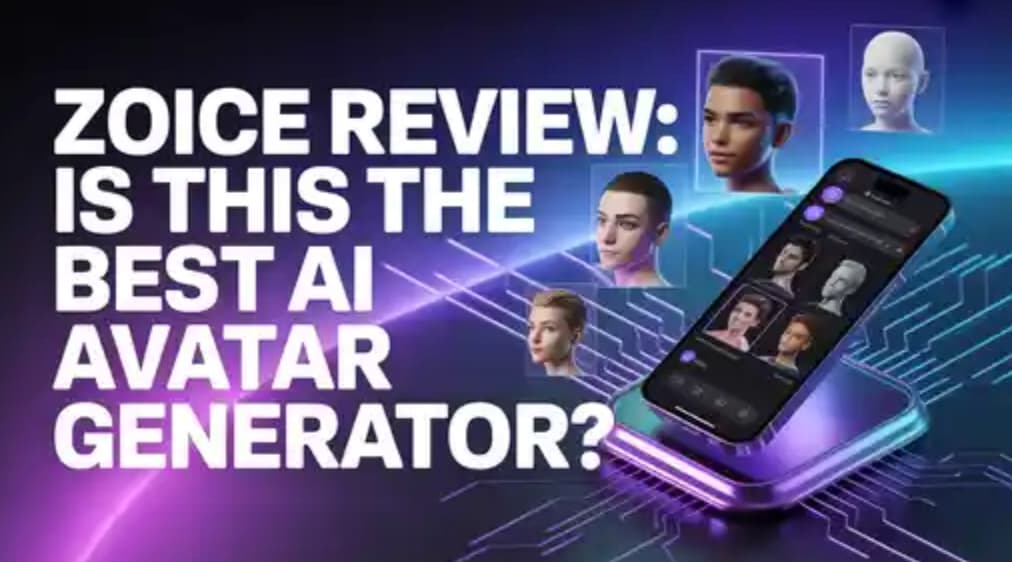
Zoice Review: Is This the Best AI Avatar Generator?
AI avatar tools are no longer something futuristic. Today, they are widely used by creators, marketers, and businesses to make videos quickly without spending too much time or money.
From faceless YouTube channels to social media ads, AI-generated videos are everywhere. That’s why many people are searching for a clear and honest review of Zoice.
With so many tools available, it’s important to know which one actually works well. Does Zoice really deliver realistic avatars, smooth lip-sync, and good value for money? Let’s take a closer look.
What Is Zoice?
Zoice is an AI-powered platform that helps you create avatars, generate videos, add voiceovers, and automate content creation.
Instead of using cameras, actors, and editing software, Zoice does everything with AI. This makes it a great option for people who want professional videos without technical skills.
You can use Zoice for:
- YouTube and social media content
- Marketing and ad videos
- Educational and training videos
- Agency-level video production
What makes Zoice different is that everything is available in one place. You don’t need multiple tools for scripting, voice, and visuals.
Why Zoice Is Becoming Popular
The way people consume content has changed a lot. Short videos, faceless content, and fast production are now very common.
Zoice fits perfectly into this trend.
- Many creators don’t want to show their face. Zoice avatars solve this problem.
- Brands want authentic ads that look real. Zoice helps create UGC-style videos easily.
- People want speed. Zoice can create full videos in minutes.
Because it saves time, reduces cost, and scales easily, more people are starting to use it.
Key Features of Zoice
AI Avatar Creation
Zoice offers high-quality avatars with different styles and personalities.
You can choose professional presenters, influencer-style avatars, or create content-specific characters. The avatars feel natural and engaging, not robotic.
Character Swap & Motion Control
This is one of Zoice’s standout features.
You can change avatars or adjust their movements without creating a new video from scratch. This is very useful for marketers who need multiple versions of the same content.
Advanced Lip-Sync Technology
Lip-sync is a big problem in many AI tools, but Zoice handles it well.
The AI matches voice and mouth movements naturally, making videos look more realistic and professional.
AI Chat, Transcription & Image Generation
Zoice combines multiple AI tools into one platform.
- Generate scripts using AI
- Convert text into voice
- Add images and visuals
This saves a lot of time and removes the need for extra tools.
Voice Generation
Zoice provides natural-sounding voiceovers with different tones and accents.
The voices sound clear and human-like, which improves video quality and engagement.
Video Templates & Automation
Zoice includes ready-made templates for:
- Ads
- Tutorials
- Social media videos
- YouTube content
Even beginners can create polished videos quickly. Automation also helps in creating multiple videos at scale.
AI Agents
Zoice includes AI agents that help with:
- Script writing
- Content ideas
- Workflow improvement
This makes the platform more than just a video tool. It becomes a full content creation system.
Output Quality
Zoice supports multiple video resolutions:
- 720p for quick sharing
- 1080p for professional use
- 4K for high-quality output
The quality remains consistent across all formats. The avatars, lip-sync, and motion stay smooth and realistic.
Zoice Pricing
Zoice is priced competitively compared to other AI avatar tools.
It offers a good balance between features and cost. You get access to advanced features without paying very high prices.
This makes it a great option for creators and small businesses.
Pros and Cons
Pros
- Realistic avatars
- Smooth lip-sync
- Easy to use
- All-in-one platform
- Good value for money
Cons
- 4K videos may take slightly longer time to render
Zoice vs Competitors
Synthesia
Good for professional use but more expensive and less flexible than Zoice.
HeyGen
Offers decent avatars, but many features are locked behind higher plans.
D-ID
Focused mainly on talking head videos. Zoice offers more features overall.
Colossyan
Best for training content, but less flexible for creative use.
Who Should Use Zoice?
Zoice is useful for many types of users:
- Content creators for faceless videos
- Marketers for ads and campaigns
- Agencies for bulk video production
- Educators for training videos
- Entrepreneurs for scaling content
My Experience With Zoice
Using Zoice feels smooth and simple.
The interface is clean, and even beginners can understand it quickly. Creating a video from script to final output takes only a few minutes.
The avatars look natural, and the lip-sync is good enough for professional use. Overall, it feels like a complete content creation tool.
Conclusion
Zoice offers everything modern creators need: speed, quality, and affordability.
With realistic avatars, strong automation, and useful features, it stands out as one of the best AI avatar tools in 2026.
If you want to create videos quickly without spending too much, Zoice is definitely worth trying.
FAQs
Is Zoice free?
Yes, it offers a free plan with limited features.
Is Zoice better than Synthesia?
Zoice is more affordable and flexible, with extra features like motion control.
Can I use Zoice for YouTube?
Yes, it is perfect for faceless YouTube content.
Does Zoice support 4K?
Yes, it supports real 4K video output.
Is Zoice beginner-friendly?
Yes, it is very easy to use, even for beginners.
Table of Contents